



Stuck with an old, embarrassing email address?
Google’s latest update will finally allow Gmail users to scrub their digital past without opening a whole new account.
Over the past two decades, Gmail has gradually grown from a simple one gigabyte mailbox platform to a widely integrated, central identifier for multiple online services.
While Google account owners could historically change their account details if they had used a third-party email address, such as a Yahoo or Outlook account, users with an “@gmail.com” address were typically unable to update their central login.
That meant if you wanted to move away from your 20-year-old Gmail address, you’d be looking at making a fresh account and potentially lose a plethora of linked services in the process – including YouTube, Google Drive and countless third-party accounts.
According to a quietly introduced update on a Hindi-language Google support page, however, Google will finally let Gmail users change their accounts.
“Google account email address changing feature, rolling out slowly for all users,” read a translation of the Google page.
The page explained users will be able to update the email address of their Google account which allows users to “sign in to Google’s products and services”.
Along with being usable for emails, the new address will appear when sharing files in Drive, making Calendar invitations, or when using the extremely popular ‘Sign in with Google’ feature which links third-party apps and services to a Google Account.
Google has not officially declared the rollout or announced a timeline for when Australian users will be able to access the new feature.
How to change it
Though gone are the days of explaining to employers and colleagues why your email starts with an adjective and ends in a barcode’s worth of numbers, not all accounts have received Google’s quiet update.
Applicable accounts can change their Gmail address by simply visiting and signing into Google’s “My Account” page.
If the feature is available, you’ll see a “Change Google Account email” button which leads to further steps.
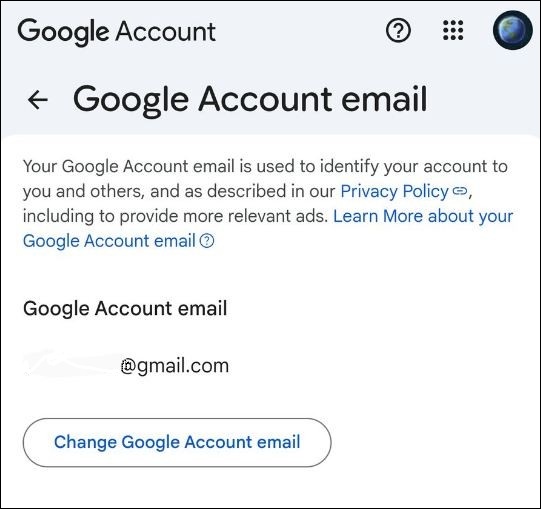
Applicable users will see this screen. Source: X user GreenShades9.
If not, you’ll see a warning that “this setting can’t be changed for your account”.
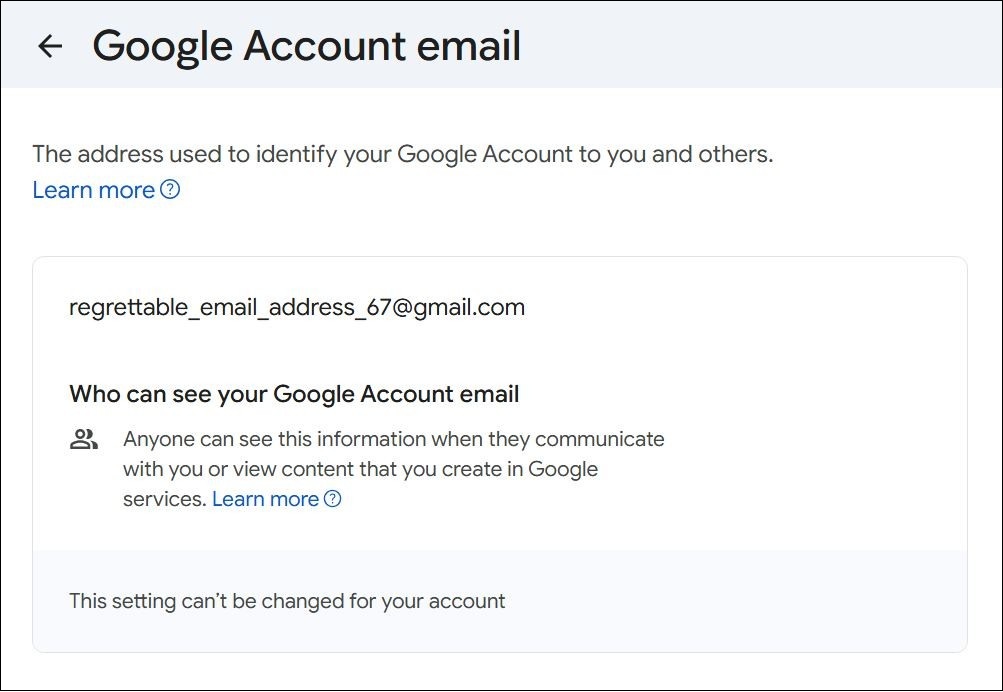
Others haven’t been so lucky. Source: X user GreenShades9.
As for what makes an account applicable, that’s unclear.
Google has remained notably quiet on the new feature, though some users on social platform X have reported successful attempts at changing their linked Gmail account.
As of 31 December, 9to5Google found evidence for the gradual rollout has also appeared on the German, Spanish, Japanese and French translations of Google’s support page, but not the English one.
At the time of writing, a relevant English support page on the subject simply reads “if your account's email address ends in @gmail.com, you usually can't change it”.
Google did not respond to Information Age when asked about the new feature.
What happens to my old emails?
For those who can access the feature, Google confirmed emails will continue to be received at both the new and old email addresses.
Data saved in a Google account – such as photos, messages and emails sent to the prior email address – will remain unscathed, while linked Google services such as Gmail, Maps, YouTube and Drive can all be signed into using the new or old address.
Information Age understands the change feature is limited to once every 12 months, while account holders can only change their dedicated Gmail address up to three times.
Other users will not be able to appropriate your old Gmail address, nor will it be available to be used for another Google account.
“No one else can use your Google account's old email address even after erasing their Google account,” read Google’s translated support page.